
REVIEW · CAPE TOWN
South Africa: Audioguide App for Garden Route & Western Cape
Book on GetYourGuide →Operated by OYO Travel GmbH · Bookable on GetYourGuide
South Africa by car feels different when you have a story in your ear, not a book on the seat. This audio guide maps onto your route with GPS-triggered playback, so you learn what you are passing in the moment. You get a real-person narration style, in English or German, across 210+ stops covering the Garden Route, Cape Town surroundings, and regions north of Cape Town.
I especially like that it’s built for your own pace. You can pause, restart, and move on when you want—because there’s no fixed meeting point or guided group schedule. The other big win for me is the offline-ready guide, so you can keep listening even when mobile signal gets messy.
One consideration: this is an audio app, not a person driving with you, and it’s priced for the download on a smartphone (not per person). If you need separate devices for everyone in your car, the value may feel less smooth.
In This Review
- Key things worth knowing before you download
- A Real-Voice Guide for a Long Self-Drive Day
- How GPS-Triggered Playback Keeps You from Guessing
- Coverage: Cape Town Area, the Garden Route, and Northward
- How to Turn 6 Hours of Audio into a Flexible Road Trip
- What 210+ Stops Can Teach You Along the Way
- Price and Value: $23 for Up to 5, on One Phone
- The Practical Downsides to Plan For
- Who Should Choose This Over a Guided Tour
- Should You Book This Audio Guide for South Africa?
- FAQ
- Is this guide only for self-drive trips?
- Where is the meeting point?
- How long is the audio guide?
- Does it work offline?
- Can I choose the language?
- Do I need an internet connection while driving?
- What does the price include?
- What is not included in the price?
- How long is the validity after purchase?
- Is it wheelchair accessible?
Key things worth knowing before you download
- GPS auto-play means the next stop comes up when you reach the spot
- Real voice actors deliver the narration, not a computer voice
- 210+ stations with about 6 hours total audio for the full coverage area
- Offline guide can be used multiple times after you download it (on 1 phone)
- English and German are available, with language selection inside the app
A Real-Voice Guide for a Long Self-Drive Day
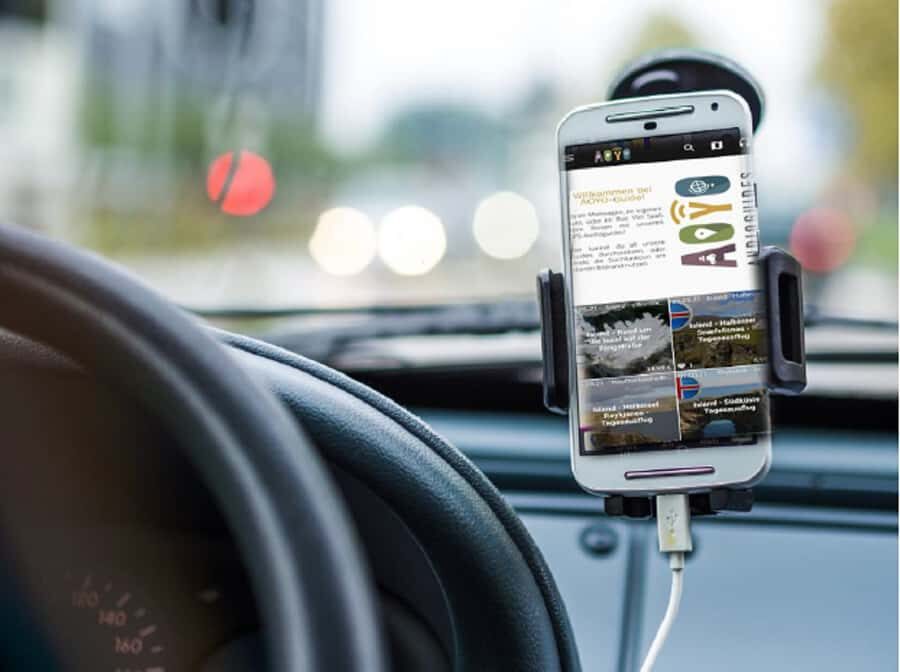
I like the idea of a guide that works like road trip conversation: present, specific, and tied to where you are right now. Instead of reading a pamphlet at a pull-off, you get short segments that match the area you’re driving through. It keeps the car ride from turning into dead time.
You also get the feel of a guided tour without the constraints. The app is designed for a rental car / self-drive day, so you’re free to stop whenever you see something worth checking out—or keep moving when you don’t. That matters on a route like the Garden Route, where the best moments often come from your own choices.
The narration is voiced by a real person. That’s not a small detail. Computer-style audio can feel flat during long stretches. Real voice delivery tends to sound more human, which helps you stay engaged on a day where you might be driving for hours.
A few more Cape Town tours and experiences worth a look

How GPS-Triggered Playback Keeps You from Guessing
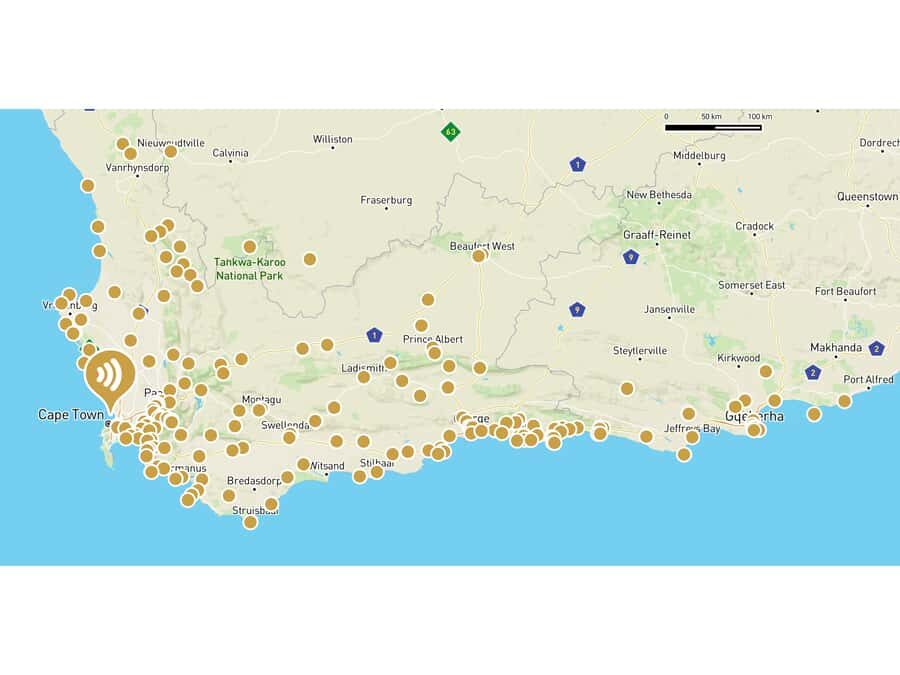
This guide is built around a GPS-supported app. As you drive your round trip through the region, the phone recognizes where you are and automatically plays the matching station. It’s essentially a digital route companion that tells you what you’re looking at while you’re still in motion.
If you’ve ever tried to use a map plus a separate guidebook, you know the problem: you’re constantly switching attention. Here, the app tries to do that work for you. You can also control playback in two ways:
- Map view for browsing where you are relative to the stops
- List view for choosing a station by name or order
That flexibility is useful because sometimes you’ll want to repeat something you missed, or skip ahead to a later station.
Also, the guide can be downloaded for offline functionality. So you’re not stuck hoping data coverage lines up with your road. For a self-drive itinerary, offline audio is the difference between a smooth listen and a phone that suddenly goes quiet.
Coverage: Cape Town Area, the Garden Route, and Northward
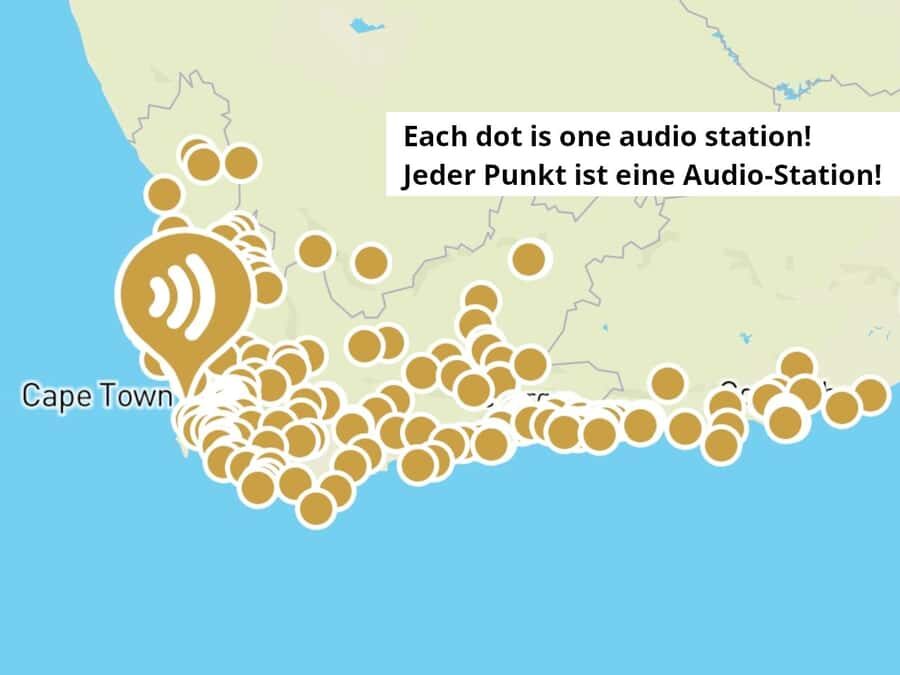
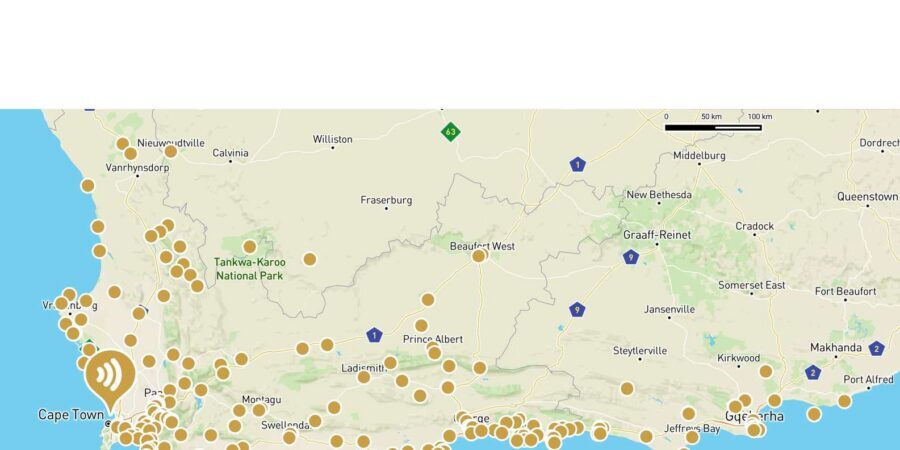
The coverage area includes more than just one corridor of driving. It spans the Garden Route and Western Cape, including the surroundings of Cape Town and regions north of Cape Town. So you aren’t confined to one “theme” road. You can shape the trip around what you want to emphasize—coastline time, town stops, or countryside driving.
What that means for you on the ground is simple: the app gives context across a wider area than a single city day. If your itinerary includes Cape Town at the start (or as a detour), the guide still supports that—so you’re not left with narration that starts only after you’ve already driven past the most famous arrival points.
One practical takeaway: because the guide covers a round-trip style drive, it suits multi-day plans where you might drive a segment one way, then come back through similar roads. The stations help you make sense of the rhythm of the route without needing to remember what you read yesterday.
How to Turn 6 Hours of Audio into a Flexible Road Trip

The full guide is about 6 hours of playing time, split across 210+ stations. That’s enough audio to cover a meaningful slice of the route, but it’s not so long that you feel forced to listen nonstop. I like that it encourages a realistic pace: listen when it fits, not when it interrupts your day.
Here’s how to use it in a way that actually matches road travel:
- Use GPS auto-play as your default while driving.
- Treat audio as a prompt. If a station sparks curiosity, plan time for a short stop.
- If you’re doing a day with lots of stops, don’t try to finish everything. Pick a few key stations and let the rest ride for later.
Because the guide is designed for offline use and can be replayed, you can also do a second pass. For example, you might listen lightly during the first day to get your bearings, then come back to certain stations when you slow down.
Another benefit: you don’t need a start time. It’s an audio-only guide with no set meeting point. You can start wherever and whenever you want, which helps when your driving days are shaped by lodging check-in times, weather, or simple fatigue.
What 210+ Stops Can Teach You Along the Way
I think the value of a GPS audio guide is not only what it covers, but how it covers it. Instead of general facts you might read once, these stations are positioned at the places themselves. That timing makes the information feel attached to the scene in front of you.
The guide focuses on sights and stories, and it’s described as including information about places of interest across the region. That usually translates into practical context like:
- What you’re looking at and why it matters
- Background on the people and culture connected to the area
- Helpful framing so you understand what a place is known for
You can also browse and play stations individually via the map or list. So if there’s a type of stop you care about—town centers, viewpoint areas, or other points of interest—you can focus your listening.
Potential drawback in this category: because the guide is tied to GPS stations, you’ll only get the relevant content if your phone’s GPS can work reliably. If your signal or phone settings are off, you might need to rely more on the map/list selection to find stations manually.
Still, the offline design and the “it’s your self-drive guide” format mean you can usually keep moving without worrying about one broken connection.






Price and Value: $23 for Up to 5, on One Phone
The price is $23 per group, listed up to 5 participants. But the key detail is that the price refers to the download on a smartphone and it’s on 1 phone. That combination changes how you should think about value.
If you’re traveling as a couple or small family sharing one phone in the vehicle, it can be a strong deal. You’re paying for one device, but benefiting from everyone getting the narration while you drive.
If you have a group where each person wants their own phone and their own audio stream, you’ll need to download on separate devices, and the cost may feel higher than you expected. In other words: this option fits best when your car can share one listening experience.
Also, it’s valid 365 days, and after download it’s valid indefinitely. So you’re not paying for a one-time, time-limited trip. If your plans shift, you still keep the guide ready.
Finally, it includes “everything a tour guide would give you” in audio form, but remember what it doesn’t include: entrance fees, parking fees, transportation, or a vehicle. Those are on your travel budget. So the real value is the information and pacing help—use it like a guidebook plus a human narrator, while your costs still cover your driving and access.
The Practical Downsides to Plan For

Let’s be honest about the limits so you don’t get surprised.
First: this is audio-only. You will not be accompanied by a guide. That’s great if you want autonomy. It also means you’ll need to rely on your own driving decisions and your own skills for navigating parking, road conditions, and where you can safely stop.
Second: it doesn’t include entrances. Many of the most rewarding moments on the Garden Route and around Cape Town can involve paid sites. This guide can explain what to look for, but you’ll still need to decide which entrances are worth the cost and handle those fees separately.
Third: parking costs can add up. The app can guide you to the right places for stopping and learning, but it won’t cover or manage parking.
And one last logistics thought, based on how the guide is delivered: after booking, you receive a separate email with installation instructions. You’re told you can ignore the GetYourGuide ticket email and instead look for the supplier message, including checking spam. That’s normal for digital downloads, but it’s worth doing as soon as you book so you’re ready before you hit the road.
Who Should Choose This Over a Guided Tour

This audioguide is a good match if you want three things at once:
- To explore by rental car on your own schedule
- To get narration with context, without paying for a full guided day
- To keep your costs predictable while still learning something meaningful
I also think it suits travelers who don’t want to spend their limited vacation time stuck listening to a group pace. With GPS-triggered playback, you can stop longer at a place you like and shorten time at the stops that don’t grab you.
Language-wise, it works if you prefer English or German. That flexibility matters when you’re in a country where signage and announcements might not match your comfort level.
If you’re someone who enjoys self-guided travel but still wants a “real guide voice” in the mix, this hits the sweet spot. It’s not trying to replace curiosity; it’s meant to sharpen it.
Should You Book This Audio Guide for South Africa?
Book it if you’re planning a self-drive through the Garden Route and the Western Cape and you want more than silence or generic travel apps. The real-voice narration, the GPS-triggered format, and the offline setup make it a practical companion that helps your time in the car feel purposeful.
Skip it (or at least consider alternatives) if your group will not share one phone, or if you specifically want a human guide who can answer questions on the fly and handle logistics. This guide can explain what you’re seeing and where you are, but it can’t replace human interaction or transportation.
If your plan is a rental-car road trip and you want to learn while you drive, this is the kind of low-friction upgrade that can make the whole route feel more understandable—without taking away your freedom.
FAQ

Is this guide only for self-drive trips?
Yes. This is an audio-only guide for self-drive and rental car trips. You are not accompanied by a guide.
Where is the meeting point?
There is no meeting point. You can start the audio guide wherever and whenever you want.
How long is the audio guide?
The guide includes over 210 stations with about 6 hours of audio information.
Does it work offline?
Yes. The guide can be downloaded for offline use.
Can I choose the language?
Yes. The audio guide is available in English and German, and you can select the language in the app.
Do I need an internet connection while driving?
The guide is designed for offline functionality after download, which helps you keep listening without relying on mobile data.
What does the price include?
The price covers the audio guide download on a smartphone (not per person). It includes GPS-supported, automatic playback and offline functionality.
What is not included in the price?
Vehicle and driver are not included. Entrance fees and parking fees are also not included.
How long is the validity after purchase?
It’s listed as valid for 365 days, and after download it is valid indefinitely.
Is it wheelchair accessible?
Yes, it is listed as wheelchair accessible.